AI builds the context. It never draws the mark.
I use generative AI the way I would use a photographer, a location scout and a retoucher: to make the world around the design. The logo, the type, the layout and the label are drawn by hand and placed exactly. Below are three projects, each with the before, the after, the tools and the real prompts.
- Higgsfield
- Nano Banana Pro
- GPT Image 2.5
- Midjourney
- Adobe Firefly
- Topaz
- Photoshop
- Figma
- Claude
Four lines I don't cross.
- 01
Contexts, not marks
AI makes rooms, roads, hands and light. It doesn't make logos, letters or layouts. Models get letterforms slightly wrong, and a brand can't be slightly wrong.
- 02
Real artwork, placed exactly
I generate the scene with a flat green panel where the design goes. Then the real file is fitted to it, corner to corner. What you see on the billboard is the artwork, not a drawing of it.
- 03
Checked at full size
Models invent badges, number plates and brackets that don't exist. Every image is inspected at 100% and corrected before it goes anywhere.
- 04
Labelled honestly
Every page that uses a generated image says so. Spec work is called spec work. Client work is never dressed up with things that weren't made.
Skelmet: a product shoot from one desk photo.
Skelmet makes a 3D-printed flame-skull helmet mount. The brand needed studio, wall and lifestyle images for launch, and all that existed was a prototype and a phone.
- Client
- Skelmet, at Digitally Next
- Mine
- Identity, packaging, art direction and every correction
- AI did
- Lighting, backdrop, wall, helmet, colourways
- Tools
- Higgsfield (GPT Image 2.5, Nano Banana Pro), Illustrator for the mark and the box
The source was a phone photo at a desk.
The prompt's whole job was to change everything except the product: same shape, same print texture, same proportions, new light and a black backdrop. A second pass removed the hand.
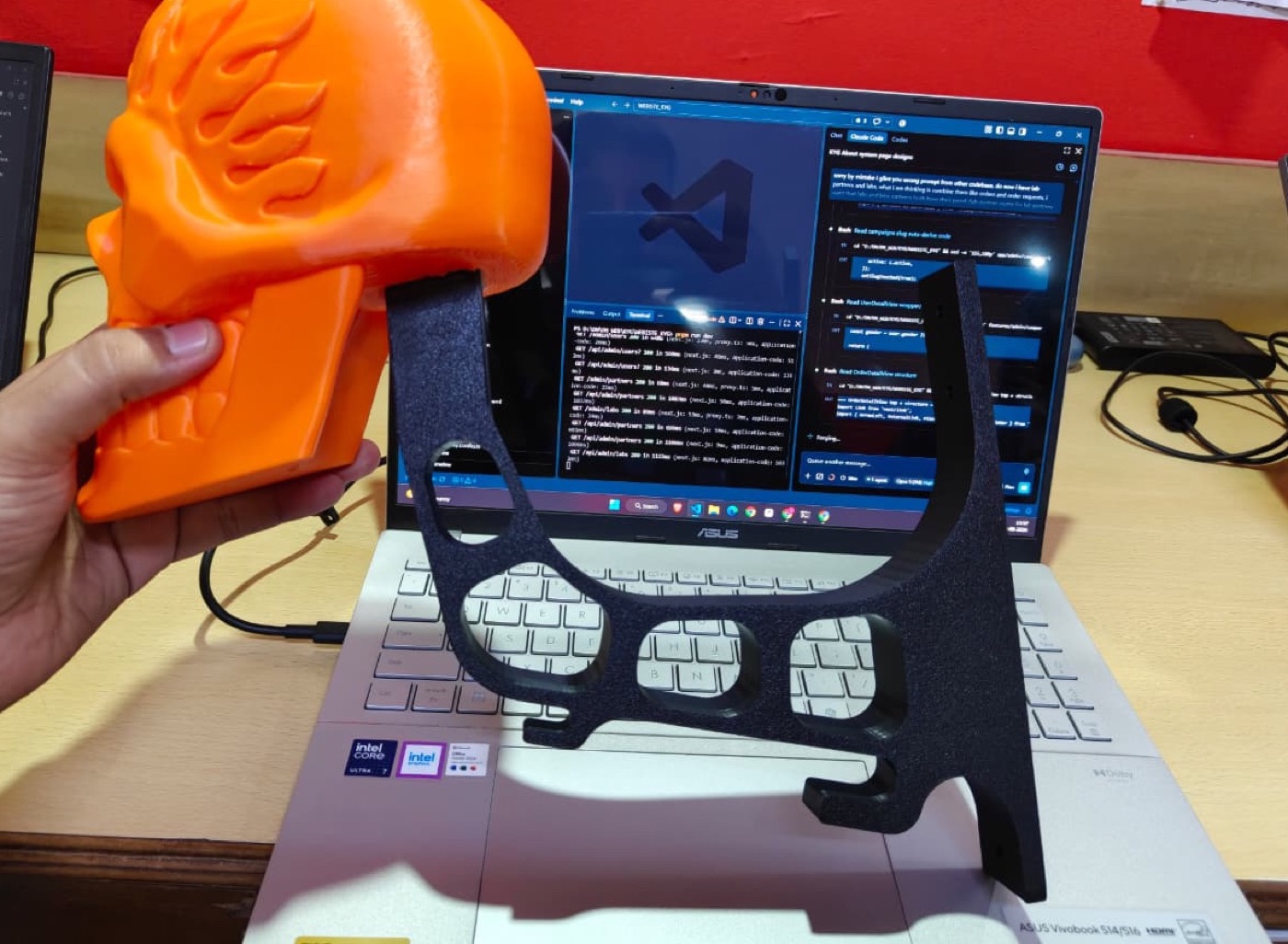 Source photo
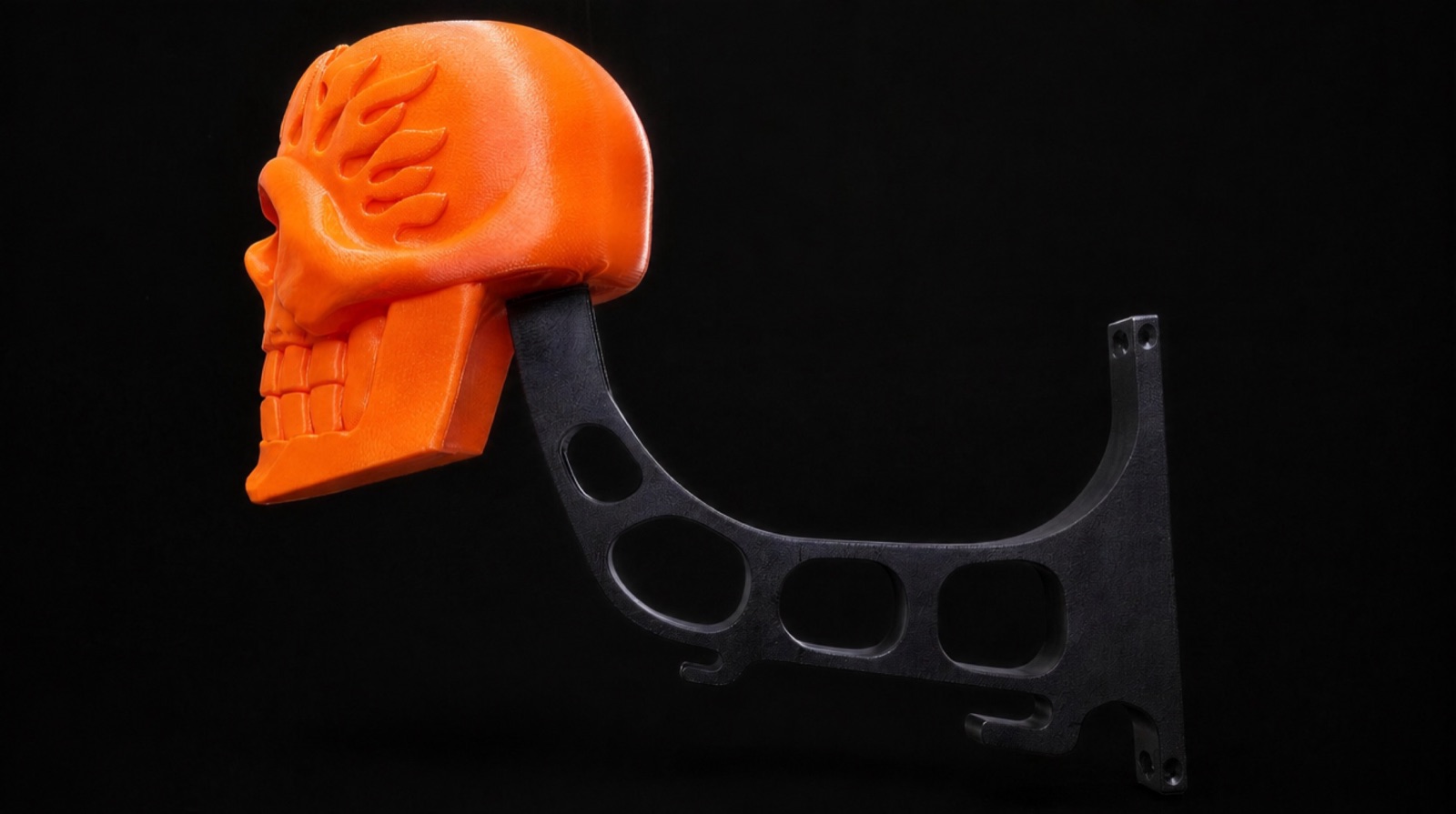 Output
PromptPass 1 · GPT Image 2.5 · 16:9 · 1K · 1 reference image
Studio e-commerce product photograph on a seamless matte black backdrop. A hand holds the 3D-printed flame skull helmet mount exactly as it appears in the reference image: bright orange skull with carved flame relief across the crown, and its black speckled-matte mount arm still attached, sweeping down and out from behind the skull to a flat wall plate with screw holes, three oval cutouts along the arm's spine. Keep the product's shape, proportions, colour and surface texture identical to the reference. Replace all surroundings. Soft directional key light from the upper left, gentle falloff, faint rim light along the skull's edge. No desk, no laptop, no room, no clutter, no text, no logos.
PromptPass 2 · GPT Image 2.5 · 16:9 · 1K · 1 reference image
Remove the hand completely. Show only the product from the reference image, alone on a seamless matte black backdrop: the orange flame skull with its black speckled-matte arm attached as one piece, hooks along the underside, wall plate at the far end. Keep the product's exact shape, angle, proportions, colour, surface texture and lighting identical to the reference — change nothing about the object itself. No hand, no fingers, no arm, no stand, no props. The mount floats cleanly against the black with a soft contact shadow beneath it. Studio e-commerce lighting, soft key from the upper left, faint rim light along the skull's edge. No text, no logos.
The model invented a bracket. I made it match the part.
The first wall render looked great and was wrong: the arm had the wrong curve, the wrong cut-outs and no hooks. A customer would receive something else.
So I described the real bracket edge by edge, with a photo of the part as the second reference, until the render matched what ships.
- Four cut-outs, not three
- Two J-hooks opening toward the wall
- One flat plate, never two
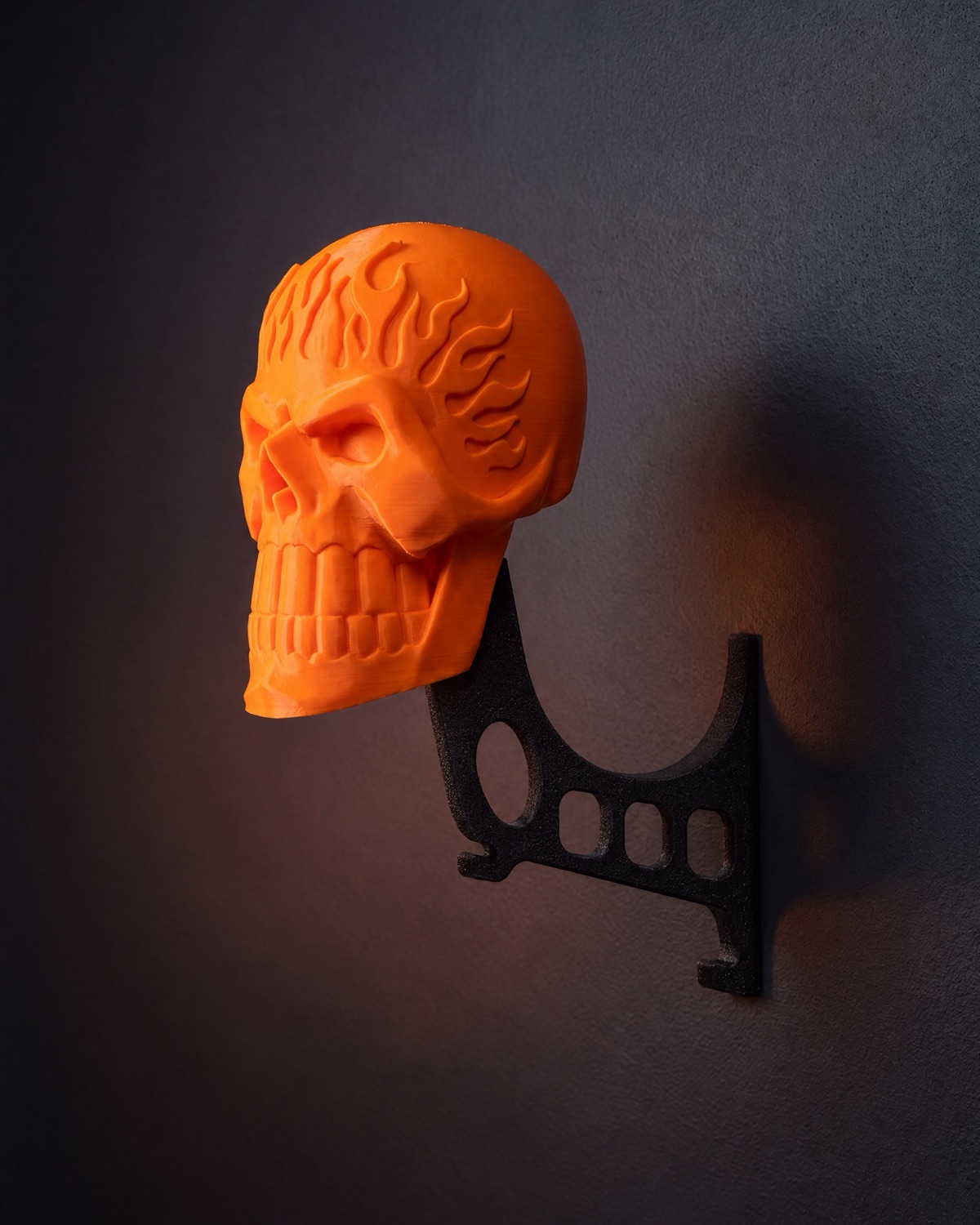
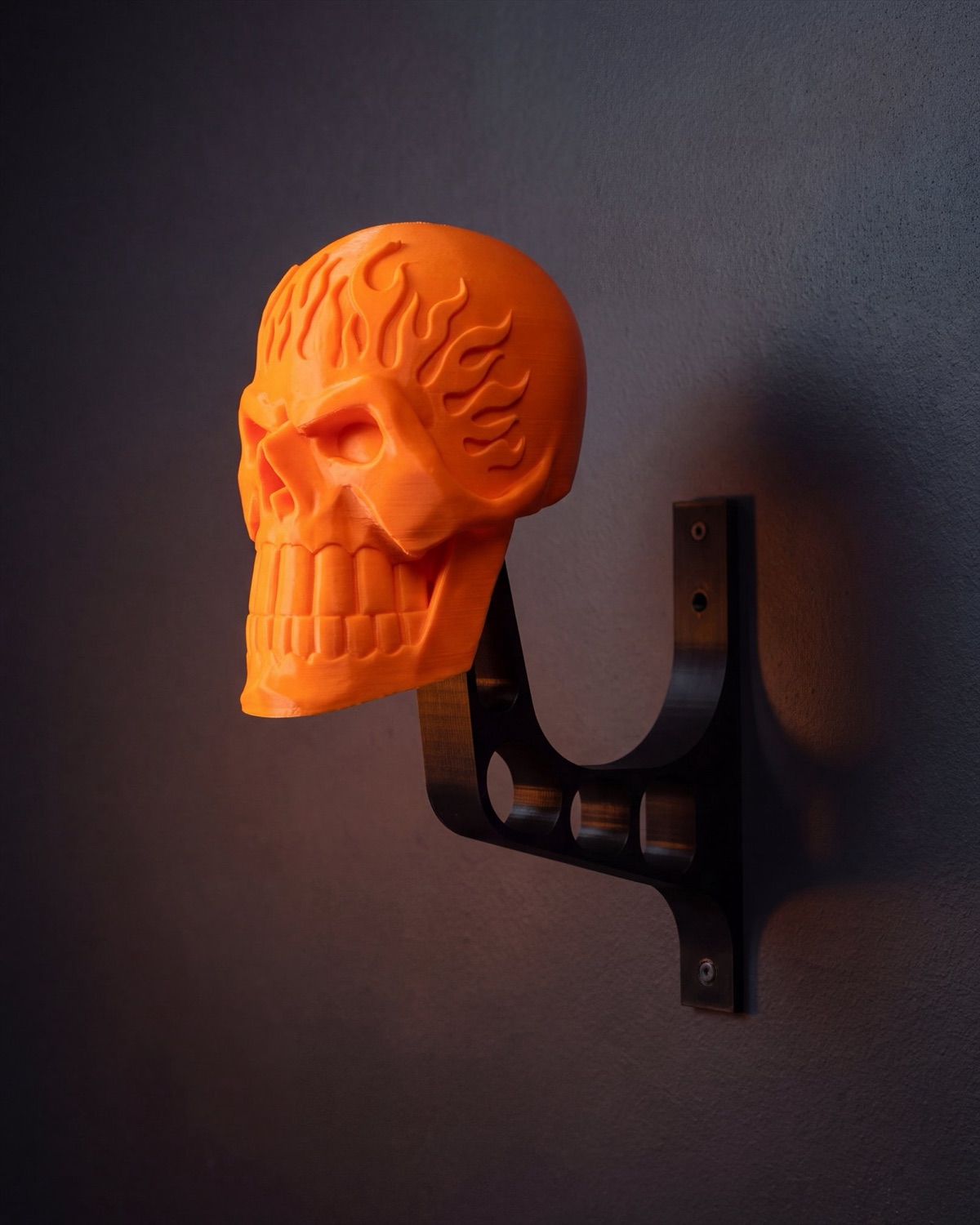 First renderCorrected
PromptCorrection · GPT Image 2.5 · 4:5 · 2K · 2 reference images
Edit the FIRST image, a product photo of an orange flame skull on a black bracket fixed to a dark grey wall. Keep the camera angle, framing, dark slate-grey textured wall, warm moody lighting, soft wall shadow and the orange flame skull (its size, position and flame relief) as they are. Replace the black bracket entirely with an EXACT copy of the black bracket in the SECOND image, same orientation (skull on the left, wall on the right), copying its outline precisely: (1) a tall flat vertical wall strip on the right, flush against the wall, rising well above the arm and extending below it, with a small screw hole near its top end and another near its bottom end; (2) from that strip the top edge of the arm dips in one deep smooth U-shaped curve, then the arm runs left as a horizontal band and bends up and to the left into a straight rising arm whose flat square tip goes up into the underside of the skull just behind the jaw; (3) exactly four rounded cut-outs: a small oval in the rising arm, a large oval at the bend, and two rounded rectangles side by side in the horizontal band; (4) exactly two small J-shaped hooks formed from the bottom edge of the band, one under the left end and one lower near the wall strip, each hook's slot opening sideways toward the wall, not pointing straight down. One single flat plate about 15 mm thick, matte black 3D-printed PLA with a fine sandy texture. No other hooks, no extra holes, no second plate, no metal. Photorealistic e-commerce product photograph, same colour grade as the first image.
PromptDetail fix · GPT Image 2.5 · 16:9 · 1K · 1 reference image
Keep the product from the reference image exactly as it is — same orange flame skull, same black speckled-matte arm attached as one piece, same angle, same lighting, same black backdrop, same hooks and same oval cutouts along the arm. Change ONE thing only: the flat vertical wall plate at the far right end must have exactly THREE countersunk screw holes in total — TWO holes side by side near the TOP of the plate, and ONE single hole centred near the BOTTOM of the plate. Three holes total, not four. There must be no second hole at the bottom. Everything else in the image is unchanged.
Two more colourways without a second print.
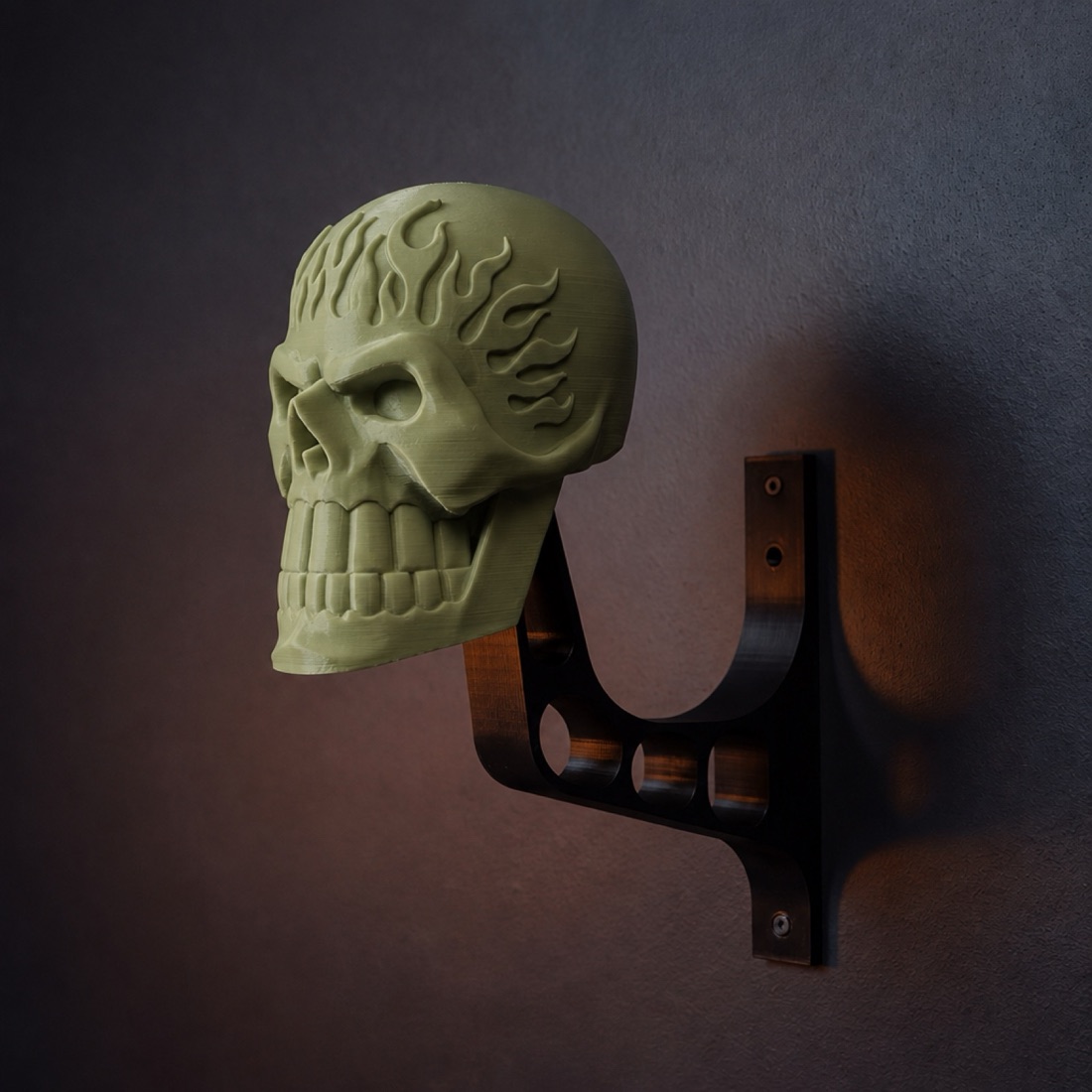
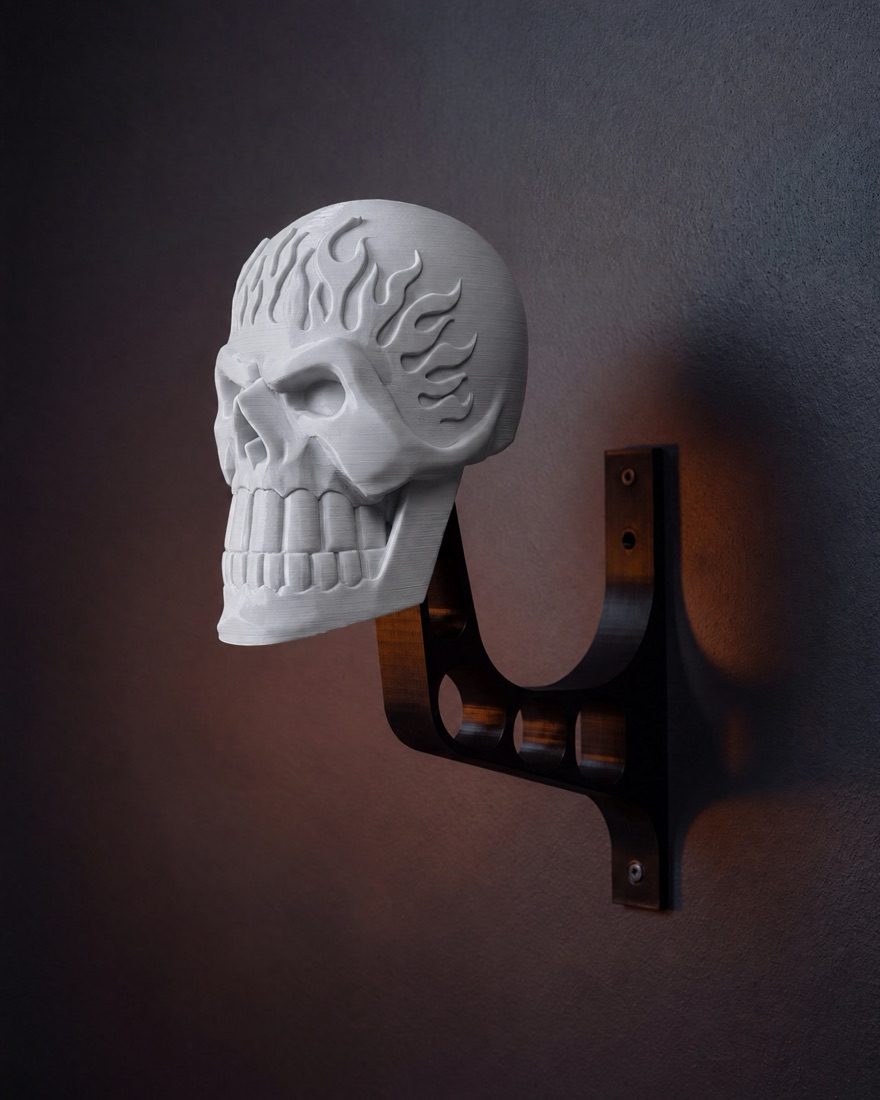
Olive and bone were recoloured from the orange image. The prompt protects the print-layer lines, because that texture is what makes it read as a real object.
PromptRecolour · GPT Image 2.5 · 16:9 · 2K · 1 reference image
Recolour ONLY the 3D-printed surface in this macro photograph: change the filament colour from bright orange to a matte military olive green (hex #8A9A5B). Keep the exact same macro crop, camera angle, depth of field, warm directional lighting and highlights. Preserve every fine horizontal 3D-print layer line and the depth of the carved flame valleys exactly. Do not move, rotate or restyle anything. Photographic macro detail shot, matte non-glossy filament.
Royal Enfield: documentary photography with no shoot.
"Measured in chai stops" is a self-initiated campaign. The idea, the line, the layouts and the type are mine. The photographs are generated, and the brief to the model was to look like a rider took them.
- Status
- Spec work. Not commissioned by or affiliated with Royal Enfield
- Mine
- Concept, copy, art direction, layouts, every format
- AI did
- The photography and the street scenes
- Tools
- Higgsfield (Nano Banana Pro), a compositing script, Figma and HTML for layout
Four models, one prompt.
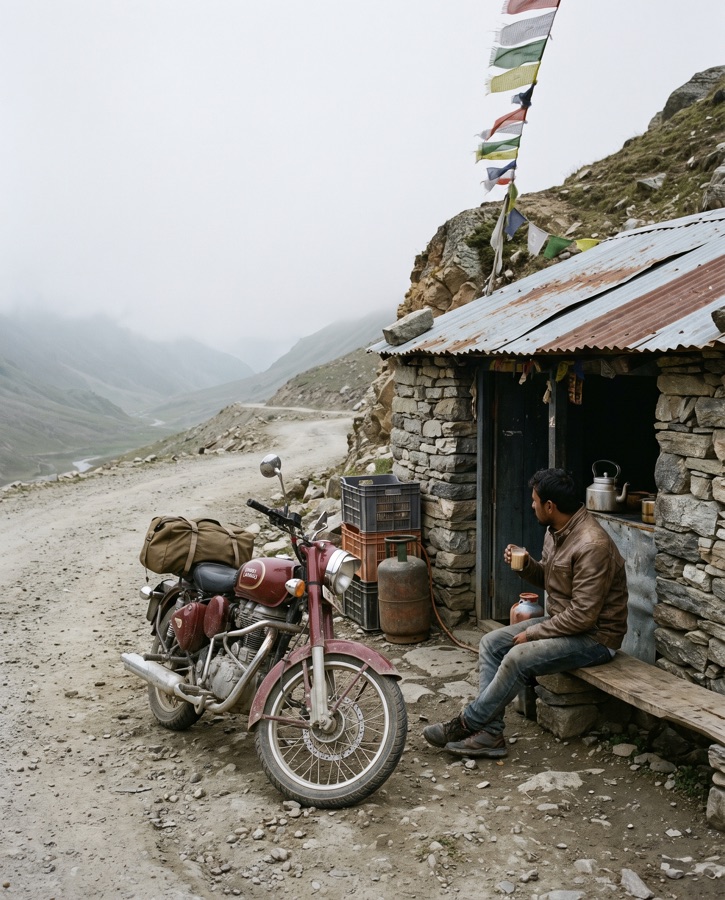
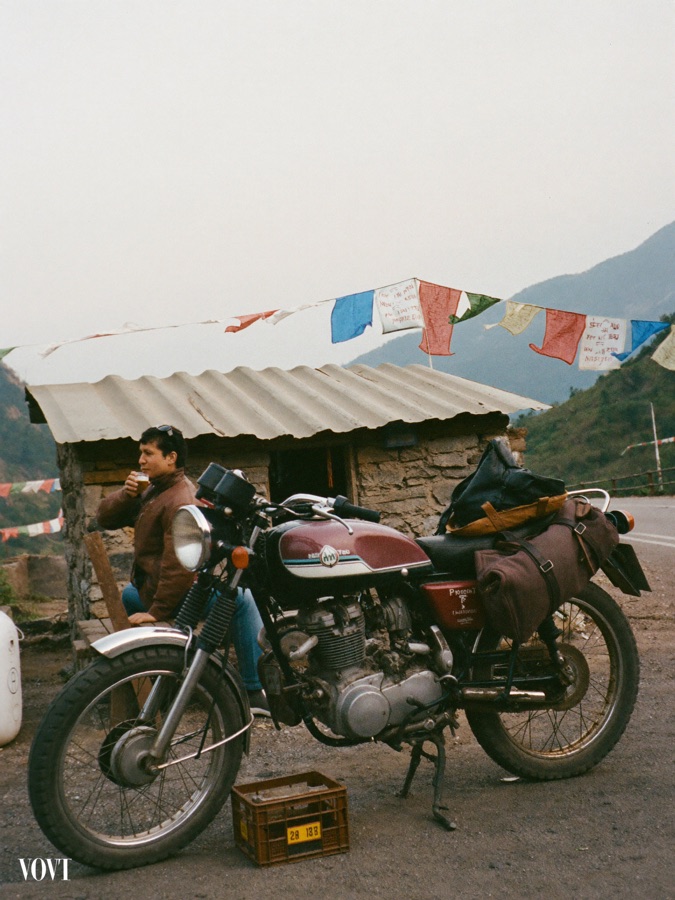
Before spending on a whole campaign I ran the same prompt through four models and compared them at full size.
- Soul 2.0 stamped a watermark into the frame
- GPT Image 2.5 was too polished and too even
- Nano Banana Pro looked like a photograph someone took
The wording matters as much as the model: overcast light, handheld, real grain, and no "cinematic" anywhere.
Picked
Watermark
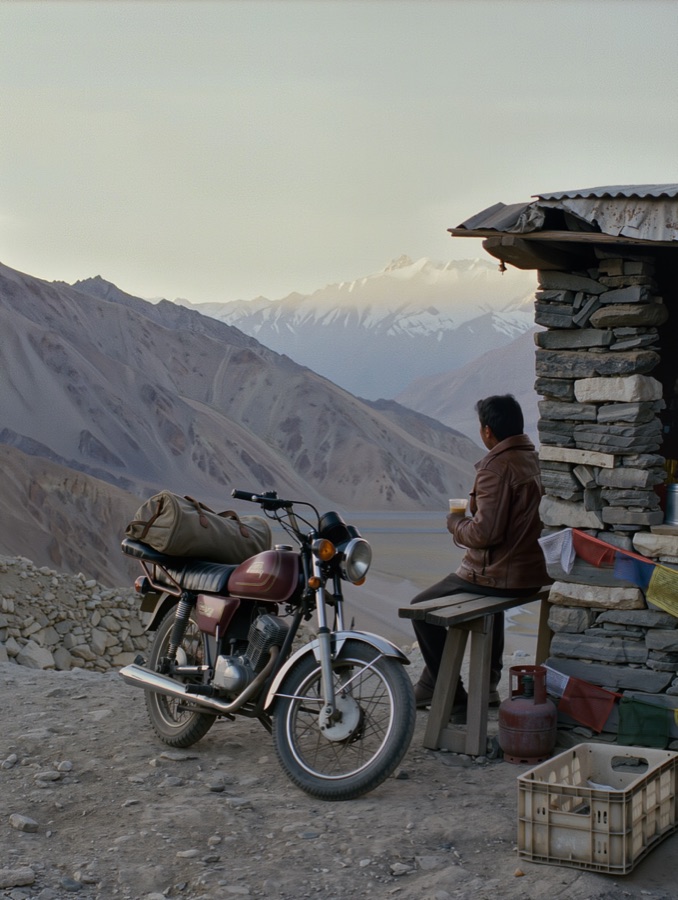
Not picked
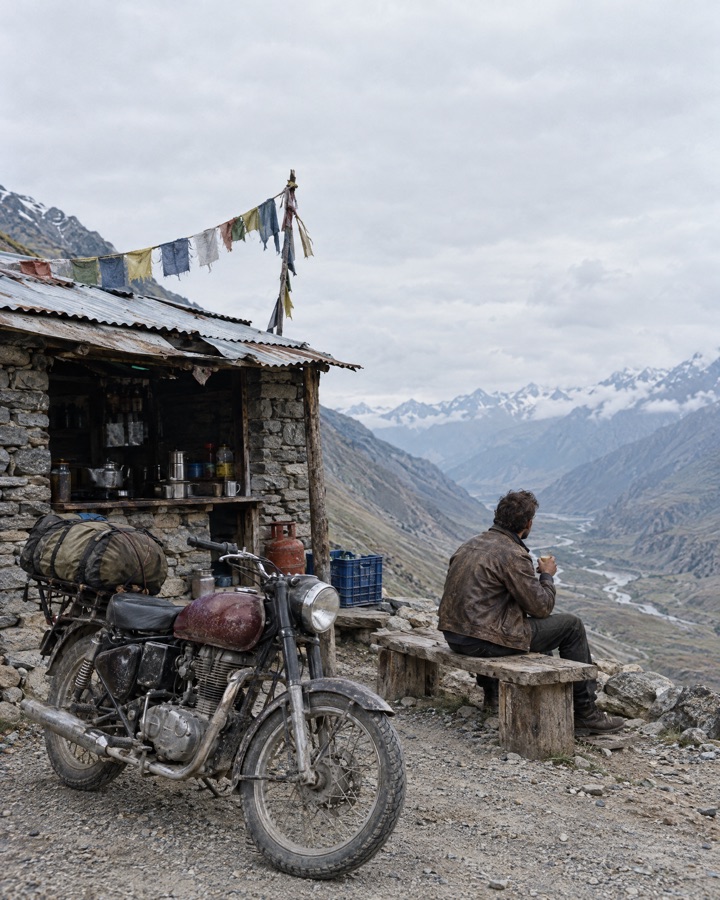
Too polished
PromptThe test prompt · Nano Banana Pro · 4:5 · 2K · text only
Documentary photograph taken by a rider on the Manali to Leh road, 35mm lens, handheld. A small roadside tea stall of stacked grey stone with a dented corrugated tin roof at a high mountain pass. A classic single-cylinder motorcycle with a round headlamp, spoked wheels and a dusty maroon teardrop fuel tank is parked on the gravel beside it, a rolled duffel strapped to the rack. A rider in a worn brown leather jacket sits on a plank bench holding a small glass of milky tea, looking away down the valley. Overcast morning, flat soft light, no sun in the frame, muted natural colours, fine real film grain, slightly imperfect framing. Ordinary everyday details: a plastic crate, a gas cylinder, frayed prayer flags. Plenty of pale sky above for a headline. It should look like a real photograph from a travel magazine, not a render. No text, no letters, no numbers, no signboards, no logos or badges anywhere; the fuel tank is plain paint.
The billboard is green until the real artwork goes on.
The scene is generated with a flat chroma-green face, twice as wide as it is tall. The poster is a separate file, set in real type with the real wordmark. A script fits it to the four corners and keeps the scene's light.
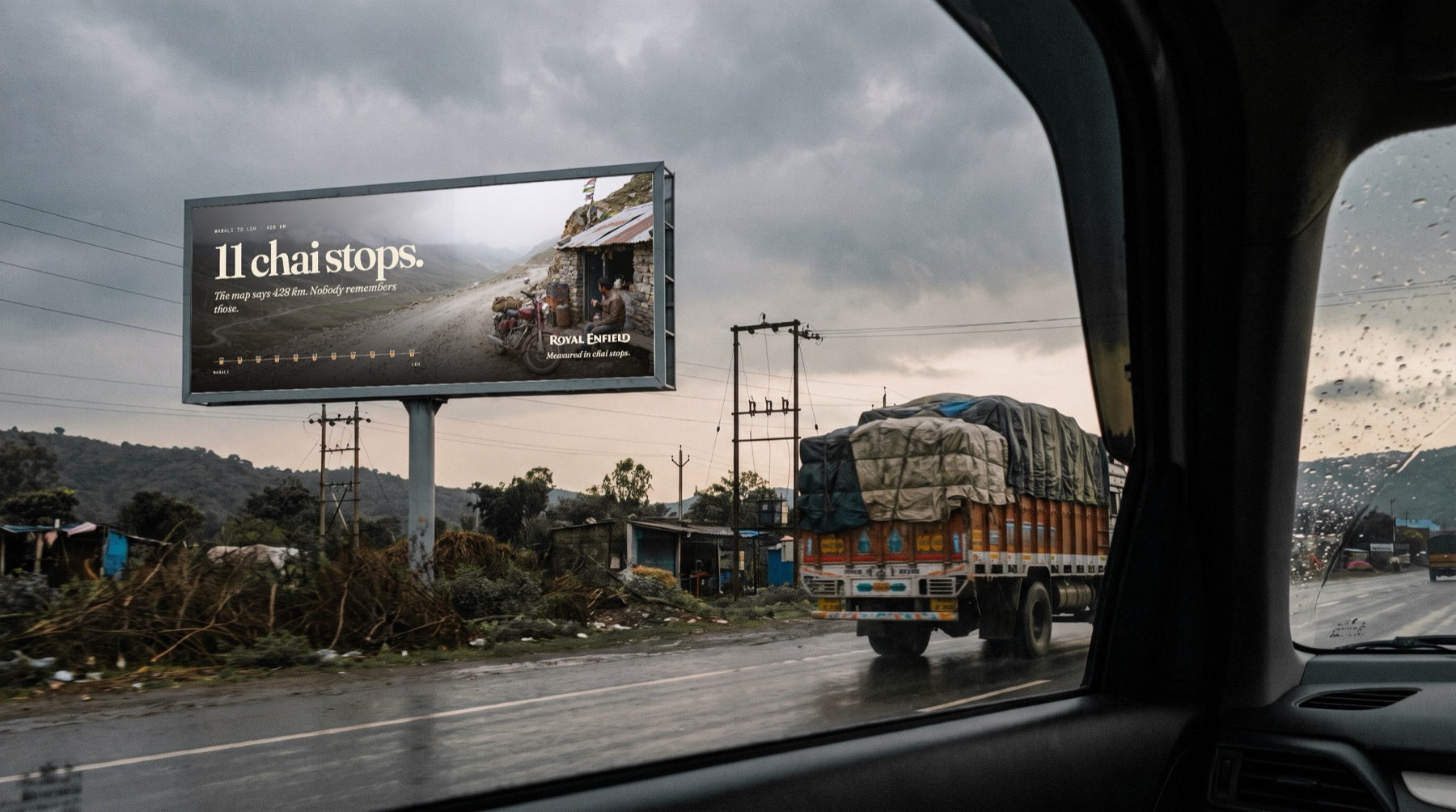
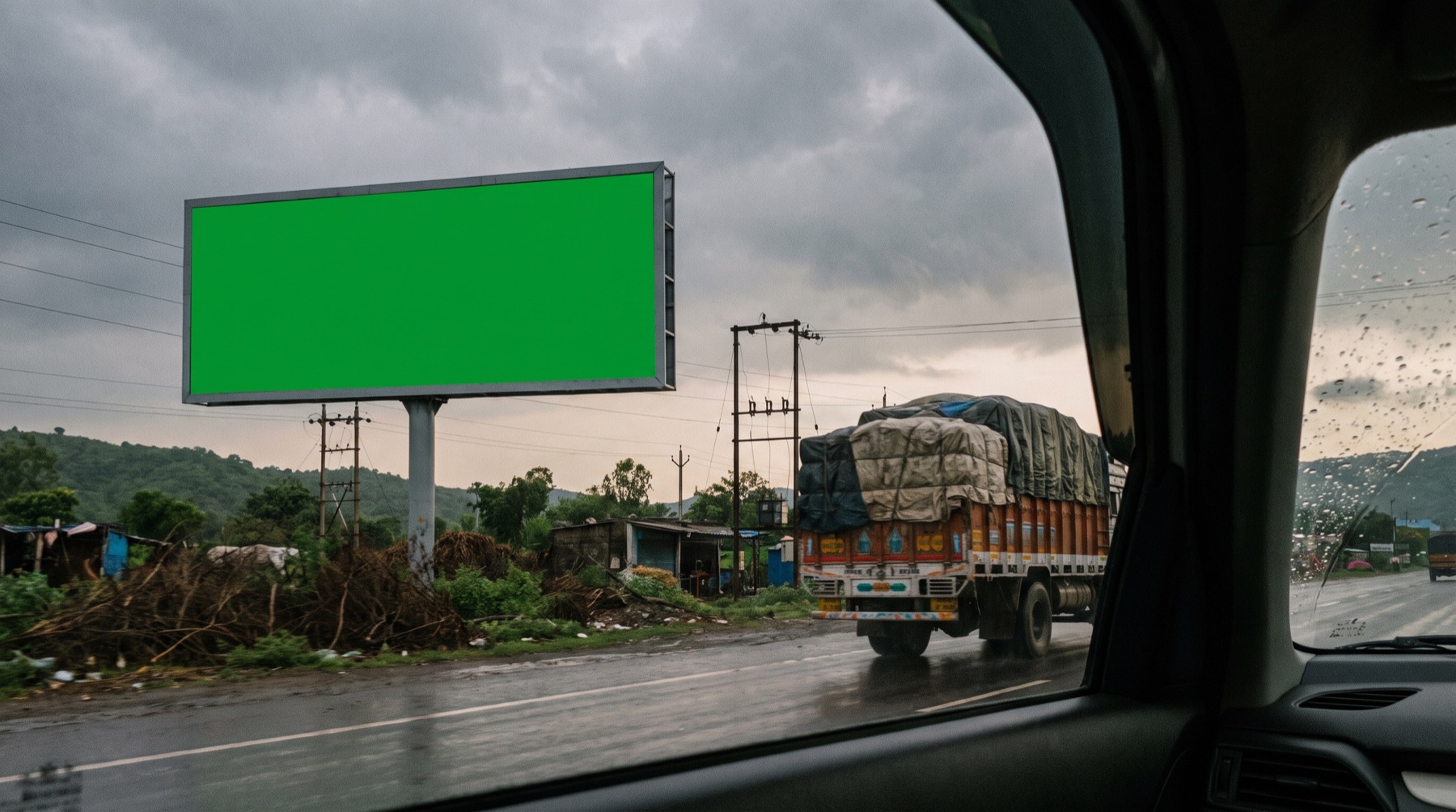 Generated sceneArtwork placed
PromptThe scene · Nano Banana Pro · 16:9 · 2K · text only
Documentary photograph from a car window of a large roadside billboard beside a highway in the green Indian hills on an overcast evening, a loaded truck passing, ordinary roadside clutter, muted natural colours, fine grain, looks like a real photo. The billboard face is a completely flat, evenly lit rectangle of pure chroma key green #00FF00, twice as wide as it is tall, with no texture, no text and no reflections, in a thin grey steel frame on two posts. No text, no letters, no logos anywhere else in the image.
Every bike checked for badges it shouldn't have.
The model kept adding tank badges and number plates, even when told not to. Each frame was inspected at 100% and sent back with a narrow edit that changes nothing else.
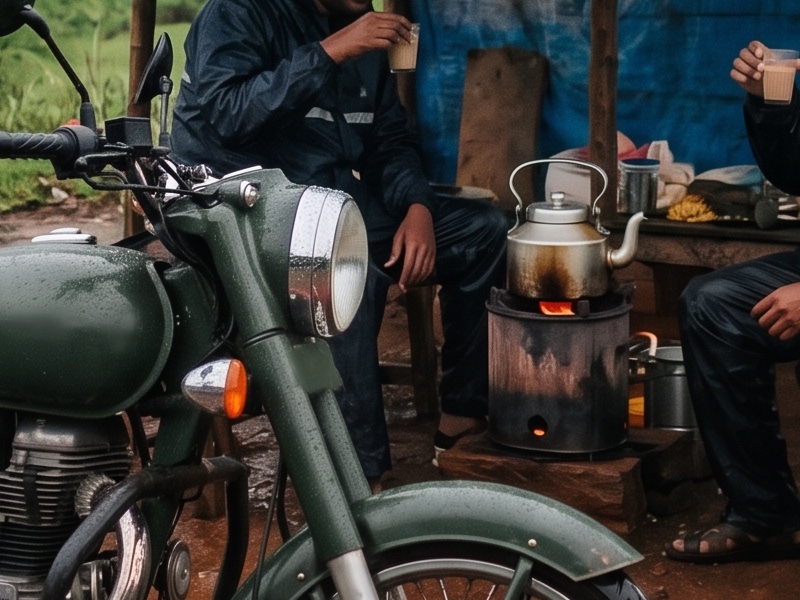
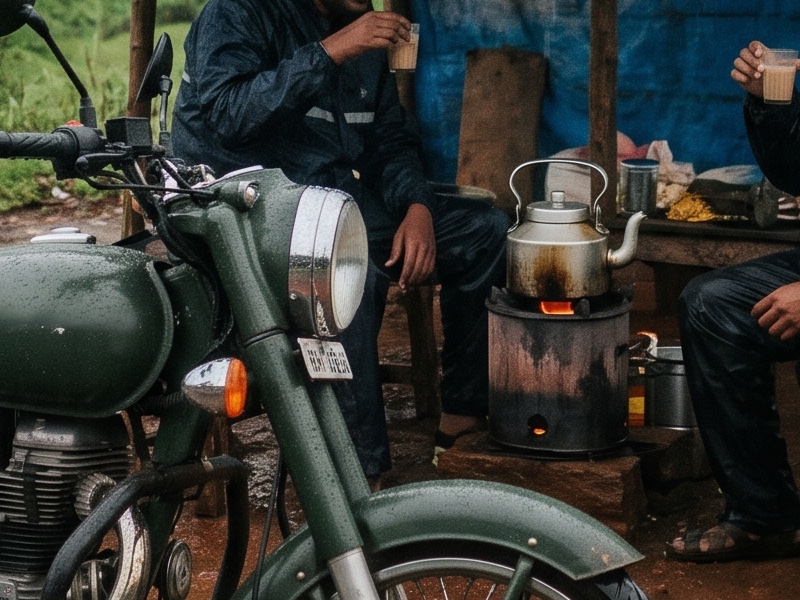 As generatedCleaned
PromptThe frame · Nano Banana Pro · 4:5 · 2K · text only
Documentary photograph, handheld 35mm, on the Konkan coast highway during the monsoon. Heavy rain has just eased and everything is wet. A small roadside tea shack with a faded blue tarpaulin roof and a wooden bench, a kettle on a small kerosene stove. Two riders in rain jackets stand under the tarpaulin laughing, each holding a small glass of milky tea. A classic single-cylinder motorcycle with a round headlamp, spoked wheels and a dark green teardrop fuel tank stands in front on red laterite mud, beaded with rain. Coconut palms and misty green hills behind, a grey sky, puddles. Flat grey monsoon light, deep muted greens, real film grain, slightly imperfect framing. Plenty of grey sky above for a headline. It should look like a real magazine photograph. No text anywhere: no signboards, no lettering, no number plates, no badges or emblems on the motorcycle; the fuel tank is plain paint.
PromptThe cleanup edit · Nano Banana Pro · 4:5 · 2K · 1 reference image
Edit this photo. Remove every number plate from the motorcycle completely, and remove any badge, emblem or lettering on the fuel tank and side panels so they are plain painted metal. Remove any other lettering anywhere in the image. Keep everything else exactly the same: framing, people, tea shack, rain, mud, light and colours.
Asay: a brand that only existed in code, put into the world.
Asay is a concept brand for an AI that checks contracts against EU rules. The identity, the product UI and the website are designed and built by hand. AI made the places the brand appears in.
- Status
- Self-initiated. Not a real company
- Mine
- Identity, product UI, design system, website, every piece of artwork
- AI did
- The street, the metro, the booth, the bag
- Tools
- Higgsfield (GPT Image 2.5), a compositing script, Figma, HTML and CSS
Close isn't the mark.
First I let the model draw the gold streak on the tote. It was close, and close isn't good enough for a brand mark.
So the second prompt blanked the bag, and the real artwork was printed onto the canvas, following the weave and the folds.
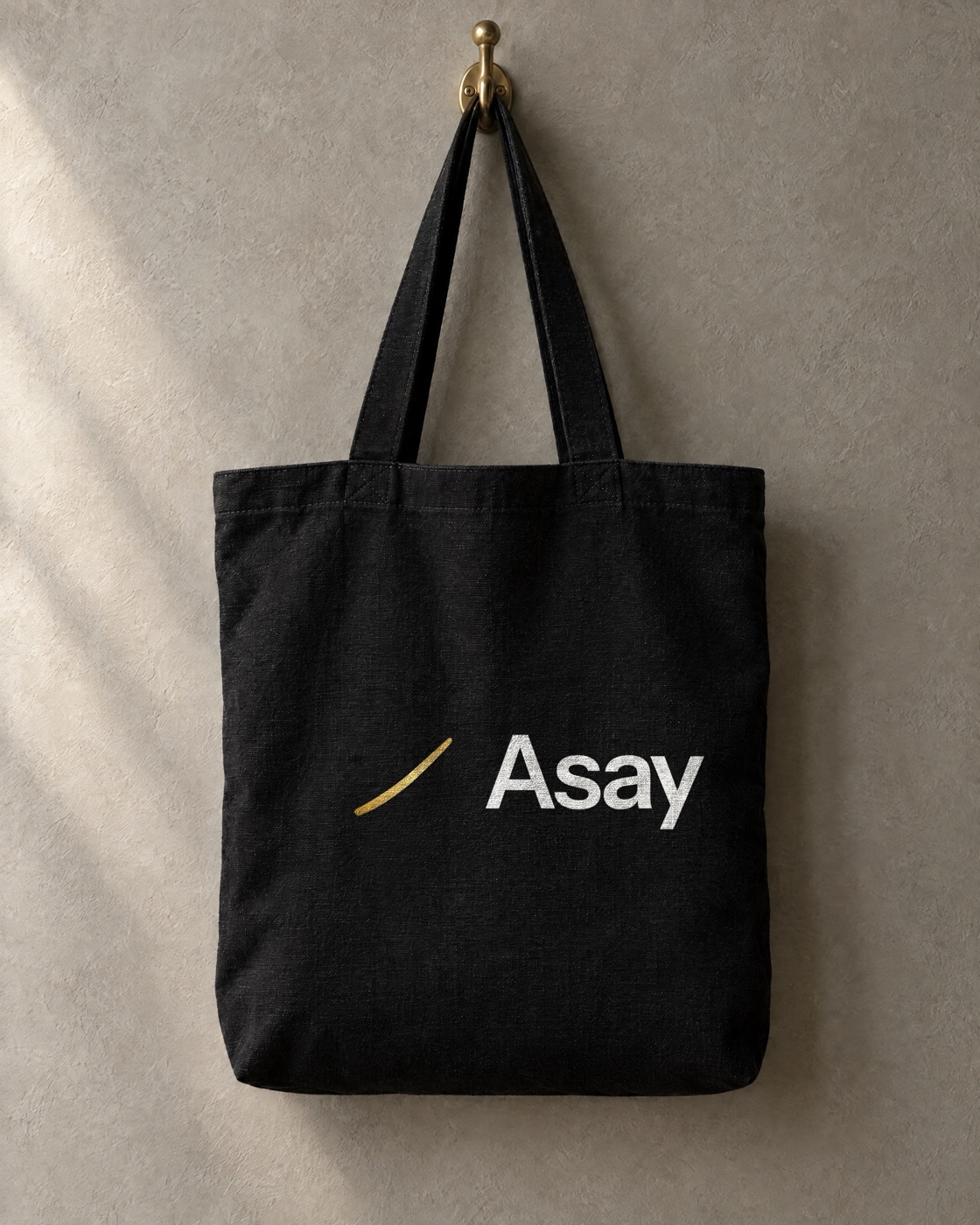
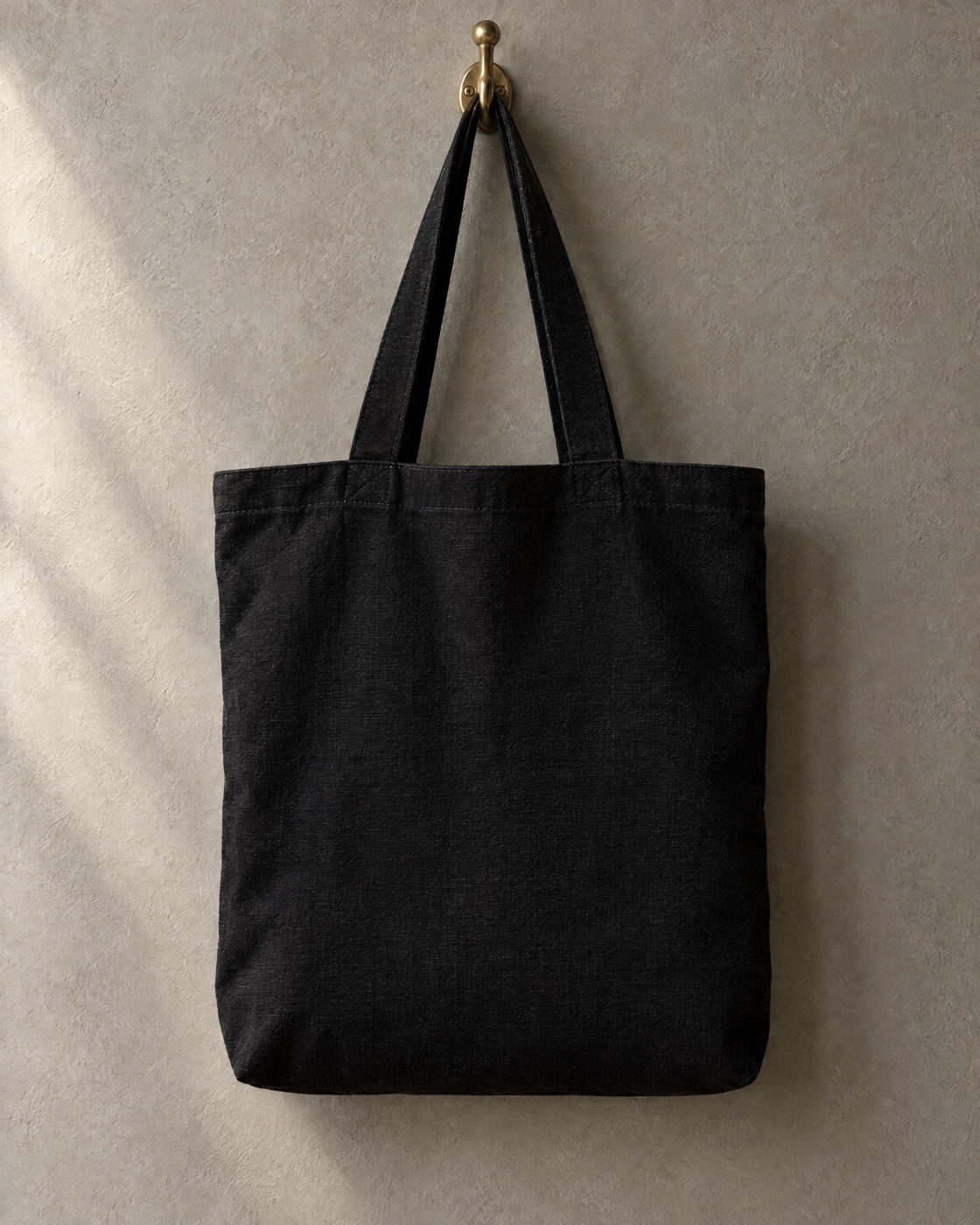 Blank canvasArtwork printed
PromptFirst attempt · GPT Image 2.5 · 4:5 · 2K · text only
Studio photograph of a heavy matte black canvas tote bag hanging from a brass hook on a warm grey plaster wall. A single tapered metallic gold foil brushstroke streak is printed diagonally across the centre of the bag, rising from lower left to upper right, thicker in the middle and tapering at both ends. Nothing else is printed on the bag. Soft directional light from the left, subtle fabric texture, premium merchandise photography. Absolutely no text, no letters, no logos anywhere in the image.
PromptThe blanking edit · GPT Image 2.5 · 4:5 · 2K · 1 reference image
Edit this photo: remove the gold brushstroke printed on the black canvas tote bag so the front of the bag is completely plain, unprinted matte black canvas with the same natural weave texture, folds and soft lighting as the rest of the bag. Keep everything else exactly the same: the bag shape, handles, stitching, brass hook, plaster wall, shadows, framing and colours. No text, no letters, no logos, no print anywhere.
One green rectangle, anywhere in the city.
The billboard, the metro panel and the conference booth were all made the same way: a plain green surface in a believable photograph, then the real artwork fitted to it.
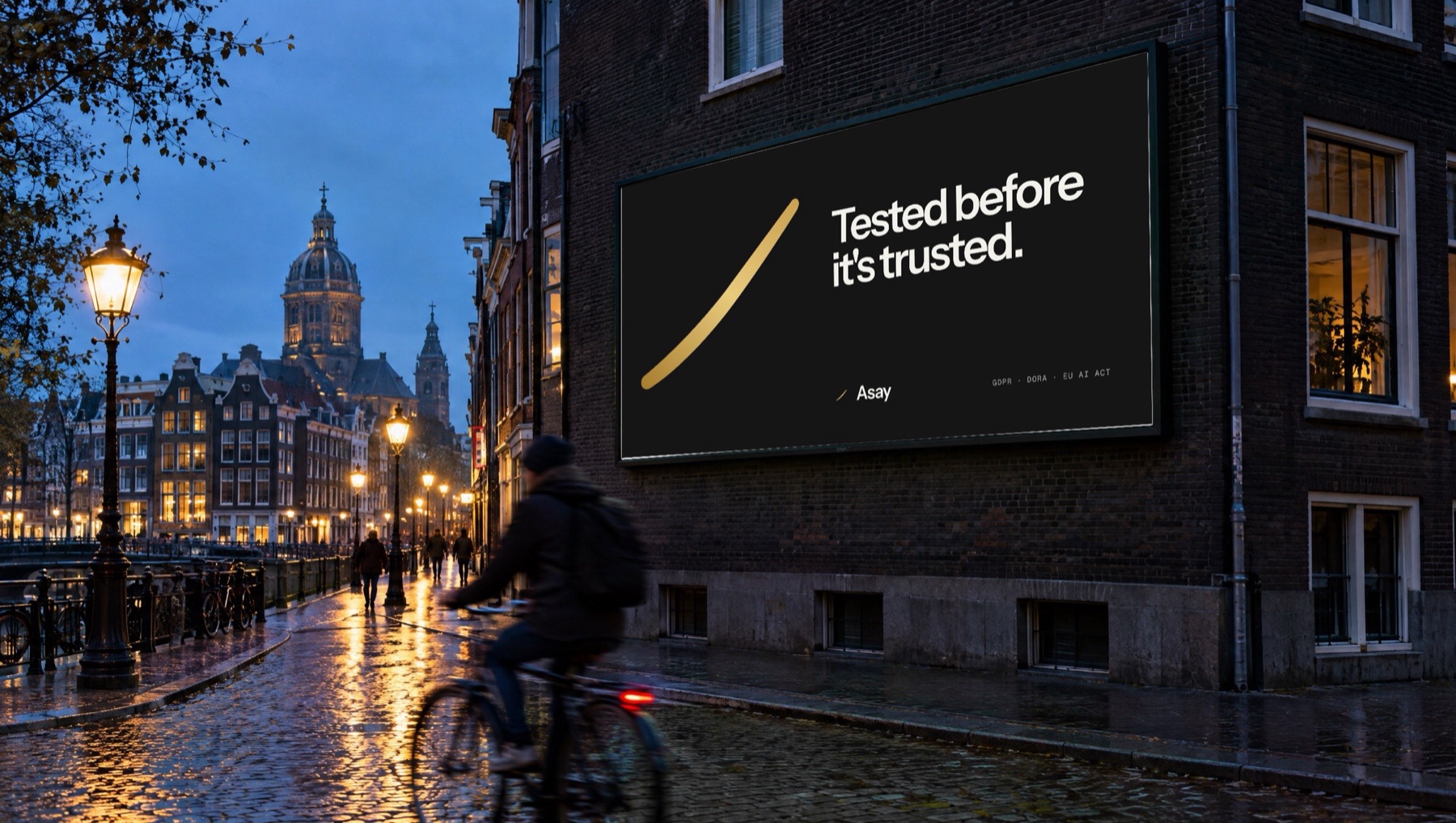
PromptThe scene · GPT Image 2.5 · 16:9 · 2K · text only
Large rectangular billboard mounted on the side of a dark brick building in a European city at blue hour, shot from street level at a slight angle. The billboard face is a solid, uniform, flat pure chroma green colour (#00FF00), evenly lit, completely plain, inside a slim black frame. Warm street lights, wet cobblestones reflecting light, a blurred cyclist passing in the foreground. 35mm lens, editorial urban photography, natural colours. Absolutely no text, no letters, no logos, no signs anywhere in the image.
Five steps. AI is in one of them.
- 01
The idea
The brief, the line and the layout come first, on paper or in Figma.
By hand - 02
The shot list
Each image is written like a brief to a photographer: lens, light, weather, what's in frame, where the type goes.
By hand - 03
The scenes
Generate two to four options. Test the model first when the look matters. Leave a green panel where artwork goes.
AI - 04
The artwork
Real type, real logo, real layout, fitted to the panel. Nothing generated carries the brand.
By hand - 05
The check
Every frame at 100%. Fix what the model made up. Then adapt to each format.
By hand
What I use, and what for.
| Tool | Used for |
|---|---|
| Nano Banana Pro | Photography that has to pass as real: documentary scenes, product in a home, street placements. Through Higgsfield. |
| GPT Image 2.5 | Edits that must keep a product identical: relighting, new backdrop, recolouring, removing one thing. |
| Midjourney, Firefly | Early exploration and mood, before a direction is chosen. |
| Topaz | Upscaling finished artwork without changing a letter. |
| Claude | Tightening prompts, and the small scripts that fit artwork onto the green panels. |
| Photoshop, Illustrator, Figma | The design itself: marks, type, layouts, packaging, print files. |
| Soul 2.0 | Tested and dropped. It adds text and watermarks. |
What I don't use AI for
- Logos, wordmarks and icons
- Typography and final layouts
- Print files and anything with legal text
- A real person's face or a client's claim
- Passing off generated work as photographed